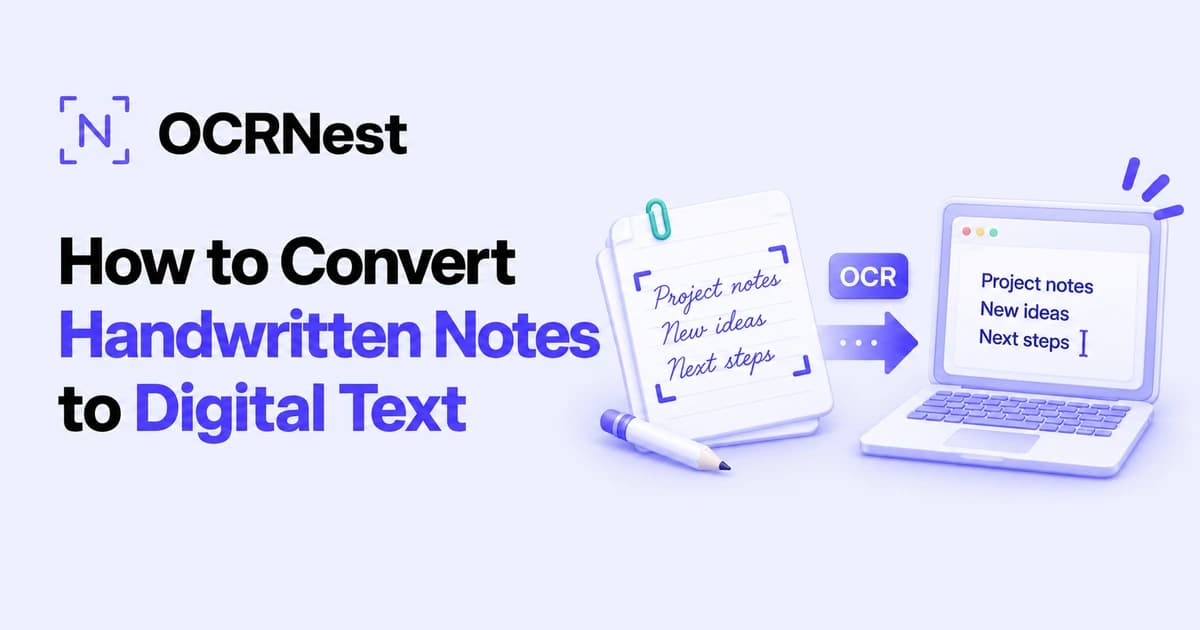
How to Convert Handwritten Notes to Digital Text
Handwritten notes are great when you're sitting in a classroom, brainstorming an idea, taking meeting notes, or quickly writing something down before you forget it.
The problem usually comes later.
You need to send those notes to someone, search for a particular sentence, turn them into a report, organize them on your computer, or use part of them in an assignment. Suddenly, the notebook page that felt so convenient becomes much less practical.
You could type everything manually.
If you only wrote three lines, that might be fine. If you have five pages of lecture notes or an entire notebook, retyping every word can quickly turn into hours of unnecessary work.
A much easier approach is to use handwriting OCR.
Optical Character Recognition can analyze handwriting inside a photo, scan, or PDF and turn it into editable text. Instead of recreating the page word by word, you let OCR handle the first transcription and then review the result.
If you're trying to learn how to convert handwritten notes to digital text, this guide walks through the complete process, including how to photograph your notes properly, how handwriting recognition works, what affects accuracy, and how to use OCRNest's Handwriting to Text Converter to digitize your writing.
Quick Answer: How to Convert Handwritten Notes to Digital Text
The simplest workflow looks like this:
- 1.Take a clear photograph or scan of your handwritten notes.
- 2.Make sure the page is straight, well lit, and easy to read.
- 3.Open OCRNest's Handwriting to Text Converter.
- 4.Upload your handwritten image or PDF.
- 5.Run the OCR conversion.
- 6.Review the recognized text for mistakes.
- 7.Copy or download the digital text.
- 8.Organize or edit it in your preferred document or note-taking app.
OCRNest's handwriting converter currently accepts JPG, PNG, WEBP, HEIC, and PDF files. It can process up to five files in a workflow, with files up to 50 MB, and is designed for handwritten notes, scanned pages, classwork, journals, and similar material.
The important part is not simply uploading the page.
The quality of the original photo or scan has a major effect on the result.
Why Convert Handwritten Notes Into Digital Text?
Writing by hand still has plenty of advantages.
It's quick. You don't need to open an app. You can sketch arrows, underline words, draw diagrams, and write ideas however you like.
But paper has limits.
A handwritten notebook is difficult to search. You can't press Ctrl + F and find every mention of "marketing strategy" or "photosynthesis." You can't easily copy one paragraph into an email. Sharing five pages means taking photographs or scanning everything.
Once those notes become digital text, they are much easier to work with.
You can:
- Search for keywords
- Edit mistakes
- Rearrange paragraphs
- Copy important sections
- Create summaries
- Store notes in folders
- Back them up
- Share them
- Paste them into assignments
- Turn them into reports
- Translate the text
- Reuse information later
The handwritten page doesn't have to disappear. You can keep the original and use the digital version for everything that paper makes inconvenient.
What Is Handwriting OCR?
OCR stands for Optical Character Recognition.
Traditional OCR is commonly associated with printed documents. A scanner captures a printed page, and OCR identifies the letters so the text becomes editable.
Handwriting recognition uses the same basic idea, but the task is harder.
Printed fonts are predictable.
The letter A generally follows a consistent shape. Line height stays fairly uniform. Spaces between words are easy to identify.
Handwriting is personal.
One person's lowercase "r" might look completely different from another person's. Some people connect their letters. Others mix cursive with print. Words may lean forward, lines can slope, and character sizes change constantly.
A handwriting-to-text system analyzes those visual strokes and attempts to determine which characters and words they represent.
OCRNest's Handwriting to Text Converter is specifically intended for this kind of content rather than only standard printed pages.
How to Convert Handwritten Notes to Digital Text With OCRNest
Let's go through the process properly.
### Step 1: Prepare Your Notes
Start with the physical page.
If it's inside a notebook, flatten the page as much as possible.
Make sure:
- No part of the writing is covered
- Pages are not folded
- The writing is visible
- Ink has not badly faded
- Important words aren't cut off
- Nothing is placed over the page
You don't need a professional scanner. A phone camera can work perfectly well when the image is taken carefully.
### Step 2: Take a Clear Photo or Scan
If you're using your phone, position the camera directly above the page.
Try not to photograph it from the side.
A heavily angled photo creates perspective distortion: the top of the page may appear narrower than the bottom, and text lines may lean or change size.
Use enough light to make the handwriting clear, but avoid direct glare.
For best results:
- Keep the phone steady
- Tap the page to focus
- Keep all relevant text inside the frame
- Avoid strong shadows
- Make sure the page fills most of the image
- Check the photo before moving on
OCRNest also recommends using sharp, straight, well-lit images for handwriting recognition because blur, heavy shadows, and poor alignment can reduce accuracy.
### Step 3: Open OCRNest's Handwriting to Text Converter
Open the Handwriting to Text Converter on OCRNest in your browser.
Because the tool is browser-based, the same general workflow can be used from a phone, tablet, laptop, or desktop without installing dedicated OCR software.
### Step 4: Upload Your Handwritten File
Upload the image or PDF containing your notes.
OCRNest currently supports:
- JPG
- PNG
- WEBP
- HEIC
This is convenient if your notes were captured directly using an iPhone, Android phone, scanner, or document-scanning application.
### Step 5: Convert the Handwriting
Start the conversion.
The OCR system analyzes the visible handwriting and converts the recognized characters into editable digital text.
Instead of having an image containing words, you now have actual text characters that your device can process.
### Step 6: Review the Result
This step is essential.
Handwriting is much less predictable than printed text, so don't assume every character will be perfect.
Compare the extracted result with your original notes.
Pay particular attention to:
- Names
- Phone numbers
- Dates
- Prices
- Technical terms
- Abbreviations
- Formulas
- Addresses
- Unusual words
OCRNest itself recommends reviewing the extracted result and making small corrections where necessary.
### Step 7: Copy or Download Your Digital Notes
Once you're happy with the transcription, copy or download the result.
You can now move it into:
- A Word document
- Notes
- Study material
- An email
- A report
- A research file
- A project brief
- A blog draft
- A presentation outline
Your handwritten content has gone from being locked inside a page or photograph to something you can edit and reuse.
Can You Convert Cursive Handwriting to Digital Text?
Yes, but cursive is usually more challenging.
The main issue is connected letters.
In printed handwriting, the word:
computer
contains fairly distinct characters.
In cursive, several of those characters may connect into one continuous stroke.
OCR must decide where one letter ends and the next begins.
OCRNest states that its handwriting converter can recognize many handwriting styles, including simple cursive and connected letters, although heavily crowded or unclear writing may require more manual review.
Neat cursive generally gives OCR a much better chance than rushed writing filled with overlapping strokes.
Can You Convert Messy Handwriting to Text?
Sometimes.
"Messy handwriting" can mean different things.
A page may still be readable even if the writing isn't beautiful.
OCR can often work with:
- Slightly slanted writing
- Mixed cursive and print
- Uneven letter size
- Normal notebook writing
- Connected words
It becomes harder when the page contains:
- Words written over one another
- Heavily crossed-out sections
- Very tight spacing
- Missing character strokes
- Extreme shorthand
- Scribbles
- Tiny writing
- Faded pencil
- Strong page shadows
If you struggle to work out what a word says, OCR may struggle too.
The good news is that the tool doesn't need to be perfect to save time.
If it correctly transcribes 90% of a long page and you fix the remaining words manually, that's still far easier than typing the entire page from scratch.
How to Take Better Photos of Handwritten Notes
Many OCR problems actually begin before the image ever reaches the converter.
A few seconds spent taking a better photo can save several minutes of corrections afterward.
### Use Good Lighting
Natural daylight can work very well.
If you're indoors, use even lighting across the page.
Try to avoid a single strong lamp positioned at one side, as this can create a bright area on one part of the page and shadows on another.
### Avoid Shadows From Your Phone
This happens frequently when photographing a notebook from directly above.
Move the light source or reposition yourself so your phone doesn't cast a shadow across the words.
### Keep the Page Flat
Curved notebook pages can distort the writing.
Hold the edges flat if necessary, but make sure your fingers do not cover the text.
### Get the Camera Close Enough
The page should occupy most of the frame.
If the notebook only covers a small portion of the photograph, each letter will contain fewer useful pixels.
### Focus Before Taking the Photo
Tap the text area on your phone screen.
Wait until the writing looks sharp.
Then take the photo.
### Check the Image at Full Size
Zoom in after capturing it.
If the words look blurry, retake the photo immediately rather than trying to work with a poor source later.
Does Pen Color Matter?
Contrast matters more than the exact color.
Dark blue or black ink on white paper is usually easy to recognize because there is a clear difference between the writing and the background.
Very light pencil marks can be harder.
Problems can also occur with:
- Faded ink
- Pale colored pens
- Dark paper
- Patterned backgrounds
- Writing over highlighted sections
Whenever possible, use a source where the handwriting clearly stands out from the page.
What About Lined Notebook Paper?
Ordinary notebook lines do not automatically make OCR unusable.
However, heavy lines that cross through characters can add visual noise.
The same is true for:
- Graph paper
- Dotted notebooks
- Forms
- Worksheets
If handwriting overlaps heavily with printed lines or boxes, recognition may become harder.
A clear scan with strong handwriting contrast helps.
How to Digitize Several Pages of Notes
One page is easy.
What if you have an entire lecture or several notebook pages?
Start by photographing each page clearly rather than trying to capture two or three pages in one image.
Give each page enough resolution.
OCRNest's handwriting tool supports multiple files in one workflow, currently up to five files, which can make small batches more convenient.
For a larger notebook, work in manageable groups.
A sensible workflow is:
Photograph → Convert → Review → Save → Continue
This also prevents you from ending up with dozens of unorganized OCR results.
How Students Can Digitize Class Notes
Students are one of the most obvious groups that can benefit from handwriting OCR.
Many students still prefer writing notes by hand during lectures because it feels quicker and less distracting than typing.
The problem comes during exam preparation.
You might have 50 pages of handwritten material spread across several notebooks.
Turning important sections into digital text makes it easier to:
- Search definitions
- Combine notes from different lectures
- Create study guides
- Rewrite difficult topics
- Prepare summaries
- Organize material by subject
- Share notes with classmates
OCRNest specifically lists class notes, lecture pages, assignments, and handwritten study material among the uses for its Handwriting to Text Converter.
Instead of typing every notebook page, OCR gives you a starting transcription that you can clean up and reorganize.
Converting Meeting Notes Into Digital Text
Handwritten notes are still common in meetings.
You may jot down:
- Decisions
- Tasks
- Names
- Deadlines
- Ideas
- Follow-ups
After the meeting, that information often needs to become an email, project document, or task list.
Rather than typing everything again, photograph the notes and convert them into digital text.
You can then reorganize the transcription into something more structured:
- Decisions
- Action Items
- Deadlines
- Follow-Ups
- Questions
That turns quick paper notes into something much easier to share with a team.
Digitizing Journals and Personal Notes
Old journals contain information that can be valuable but difficult to search.
Maybe you're looking for:
- A particular memory
- A travel entry
- An idea you wrote years ago
- Family information
- A recipe
- A quotation
Digitizing those pages allows you to search through the content later.
Handwriting OCR can provide the initial transcription, although old cursive, faded ink, or decorative writing may require more manual editing.
OCRNest lists journals, diaries, old records, and handwritten personal material among the types of content suitable for its handwriting workflow.
Converting Research and Field Notes
Researchers frequently write observations by hand when working in places where laptops are inconvenient.
Those notes may eventually need to become part of:
- Research databases
- Reports
- Articles
- Transcripts
- Project archives
OCR can reduce the transcription workload.
The researcher can photograph or scan the original field notes, convert them into editable text, and then verify the output against the physical page.
That last check remains important because names, numbers, dates, and specialized terminology are precisely the types of information where one recognition error can matter.
Turning Handwritten Drafts Into Editable Documents
Writers often sketch ideas by hand before moving to a computer.
That might include:
- Article outlines
- Story ideas
- Interview notes
- Headlines
- Character notes
- Rough paragraphs
Normally, moving from paper to computer means retyping everything.
Handwriting OCR offers another route.
Photograph the page, extract the writing, then edit the digital version rather than rebuilding it from scratch.
The final text may need cleanup, but even a rough automated transcription can make the transition from notebook to document much faster.
Can Handwriting OCR Recognize Numbers?
Yes, but numbers deserve extra attention.
Imagine that your note contains:
Call 0174 568 290
If OCR mistakes one digit, the entire phone number changes.
The same issue applies to:
- Dates
- Prices
- Measurements
- Calculations
- Invoice numbers
- Reference codes
Always compare important numbers with the original page.
This applies to handwriting OCR generally; OCRNest's disclaimer also notes that OCR accuracy can vary with handwriting style, resolution, lighting, rotation, symbols, and other source conditions.
Can Handwritten PDFs Be Converted to Digital Text?
Yes.
A PDF can contain scanned pages just like an image.
If you scanned several handwritten notebook pages into one PDF, the visible writing may still exist only as image content.
OCR is needed to recognize it.
OCRNest's Handwriting to Text Converter supports scanned PDFs containing handwritten material, provided the text is visible and readable. For printed scanned documents, the PDF to Text converter is built for that job.
This can be useful when a scanner automatically combines several pages into one document.
How Accurate Is Handwriting to Text Conversion?
There is no single accuracy percentage that applies to every handwritten page.
A clean block-letter note photographed under good lighting is very different from:
- Old cursive
- Faded pencil
- Rushed lecture notes
- Tiny writing
- A page full of corrections
- Writing over graph paper
OCR accuracy depends on factors including image clarity, handwriting style, file resolution, lighting, angle, language, and document complexity. OCRNest explicitly notes these variables in its OCR accuracy guidance.
The safest approach is:
Let OCR perform the transcription, then proofread the result.
That's still much faster than typing everything yourself.
Handwriting OCR vs. Manual Typing
Which method makes more sense?
For two lines:
Manual typing may be faster.
For two pages:
OCR starts to become much more useful.
For twenty pages:
Manually transcribing everything becomes a significant task.
OCR changes the workflow from:
Read → Type → Read → Type → Read → Type
to:
Upload → Convert → Proofread
That is where the real time saving comes from.
What Should You Do After Converting Your Notes?
Do not leave the extracted text as one giant unorganized block.
This is your opportunity to make the digital version better than the paper version.
### Add Headings
Separate topics clearly.
### Fix Spelling
Correct OCR mistakes and any mistakes from the original note if appropriate.
### Add Paragraph Breaks
Handwritten pages may not use clean paragraph structure.
Make the digital copy easier to read.
### Create Lists
Convert handwritten bullet points into proper lists.
### Highlight Important Information
Mark definitions, deadlines, or key ideas.
### Add Missing Context
Your handwritten note might say:
Send it Friday
That made sense when you wrote it.
Three months later, you may have no idea what "it" refers to.
Expand unclear shorthand while digitizing.
Should You Keep the Original Handwritten Notes?
Usually, yes—at least until you have checked the transcription.
Digital text is convenient, but the original page remains the reference.
If the OCR misreads a name or number, you need something to compare it against.
For important records, consider storing both:
Original scan/image + corrected digital transcription
That gives you the convenience of searchable text without losing the original source.
Is It Safe to Convert Personal Handwritten Notes Online?
Think about what the page contains before uploading it to any online service.
Ordinary study notes, brainstorming pages, recipes, and general handwritten material are one thing.
Pages containing highly sensitive information deserve more caution.
Avoid casually uploading documents containing:
- Passwords
- Banking details
- Confidential company information
- Personal identification numbers
- Sensitive medical information
- Private legal material
OCRNest's handwriting page includes privacy guidance for uploaded notes, and its own FAQ advises caution with highly sensitive documents.
The same principle applies to any online document-processing service.
Common Handwriting OCR Mistakes
Knowing what to look for makes proofreading faster.
### Similar-Looking Letters
OCR can confuse:
- a and o
- u and v
- m and n
- c and e
- i and l
### Numbers and Letters
Common problem pairs include:
- O and 0
- l and 1
- S and 5
### Joined Words
Cursive spacing can make two words appear to be one.
### Split Words
Large gaps within handwriting can cause one word to be treated as two.
### Abbreviations
Personal shorthand may not make sense to a recognition system.
### Proper Names
Unusual names can be harder because context provides fewer clues.
Whenever accuracy matters, review these areas first.
Frequently Asked Questions
### How do I convert handwritten notes to digital text?
Take a clear photo or scan of your handwritten page, upload it to a handwriting OCR tool such as OCRNest's Handwriting to Text Converter, run the conversion, review the recognized content, and then copy or download the digital text.
### Can handwritten notes be converted to editable text?
Yes. Handwriting OCR recognizes written characters inside an image or scanned document and converts them into text that can be edited, copied, searched, and saved.
### Can I convert handwritten notes from a phone photo?
Yes. OCRNest accepts mobile photos as long as the handwriting is clear and readable. For better results, keep the page flat, use good lighting, avoid shadows, and make sure the text is in focus.
### Does handwriting OCR work on cursive?
Yes, it can recognize many cursive styles, but connected or messy writing is more difficult than clear handwriting. OCRNest supports cursive handwriting recognition and recommends manual review when writing is heavily connected or unclear.
### Can I convert scanned handwritten PDFs into text?
Yes. OCRNest's handwriting converter accepts scanned PDFs containing visible handwritten text.
### What file formats can OCRNest use for handwritten notes?
The Handwriting to Text Converter currently supports JPG, PNG, WEBP, HEIC, and PDF files.
### Why is my handwriting OCR result inaccurate?
Blur, poor lighting, low contrast, unusual handwriting, heavy cursive, low resolution, page rotation, background noise, and small writing can all reduce recognition quality.
### Can I digitize an entire notebook?
Yes, but it is better to process clear pages in manageable batches rather than trying to photograph many pages at once. OCRNest currently supports up to five files in a handwriting conversion workflow.
### Is handwriting-to-text conversion 100% accurate?
No. Handwriting recognition varies significantly with writing style and source quality. Always proofread important names, numbers, dates, and technical information after conversion.
### Is handwriting OCR better than manually typing notes?
For a very short note, manual typing may be faster. For multiple pages, OCR can save significant time because you only need to review and correct the transcription rather than type everything from scratch.
Final Thoughts
Learning how to convert handwritten notes to digital text is one of those small productivity improvements that becomes surprisingly useful once you start doing it regularly.
Paper is still excellent for capturing ideas quickly.
The problem is what happens afterward.
You can't easily search a notebook. Sharing several handwritten pages is inconvenient. Reusing one paragraph often means typing it all again.
Handwriting OCR bridges that gap.
With OCRNest's Handwriting to Text Converter, you can upload a photo, scan, or PDF containing handwritten notes and turn the visible writing into editable digital text. The tool supports common mobile and document formats and is designed for material such as class notes, journals, scanned pages, assignments, and handwritten records.
The best results begin with the original image.
Keep the page flat.
Use good lighting.
Make sure the handwriting is in focus.
Avoid shadows.
Then let OCR handle the repetitive transcription and spend your time reviewing the result instead of retyping every line.
The process is simple:
Write on paper → capture the page → run handwriting OCR → proofread → organize the digital text.
You don't have to choose between the convenience of handwriting and the flexibility of digital notes.
With OCR, you can have both.
Ready to try it? Use our handwriting to text converter or JPG to text — free, no signup.
Try our Handwriting to Text tool
25 free scans per month. No credit card required.
Open Handwriting to Text →